
{tab title="ผล Speed Test "}
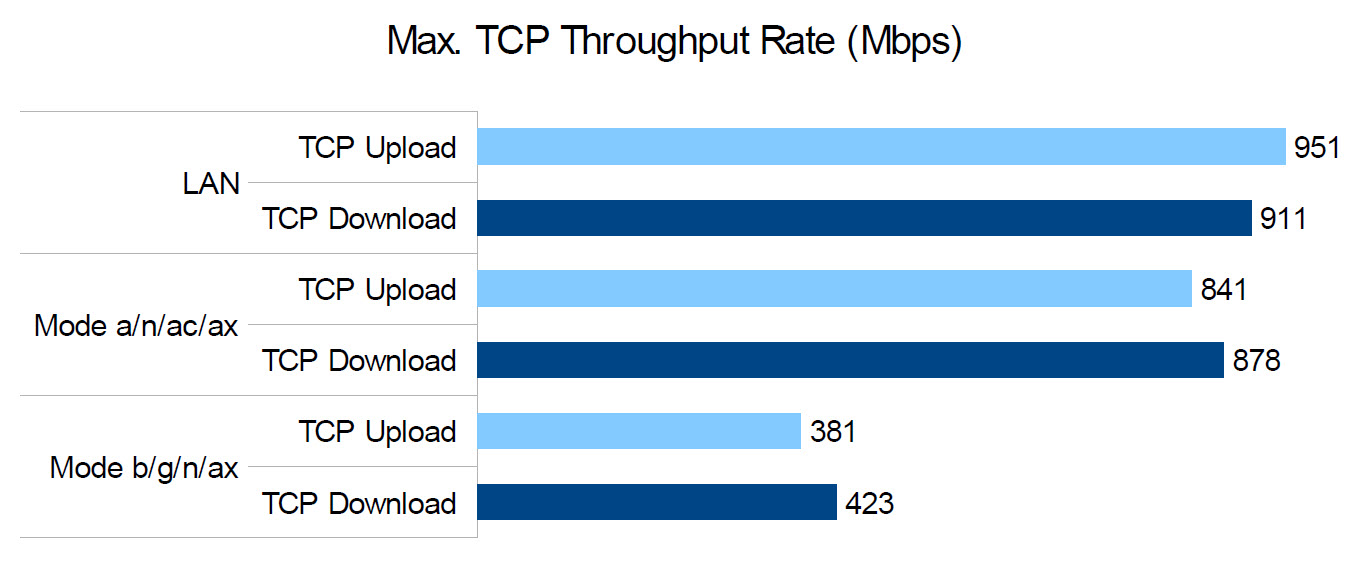
| 1. ผล Speed Test TCP Throughput Rate เปรียบเทียบระหว่าง LAN, Wi-Fi 2.4GHz และ 5GHz ระยะไม่เกิน 5 เมตร กับ Intel AX200 ( Internet NT 1000/1000Mbps) |
|
|---|---|
|
|
|
|
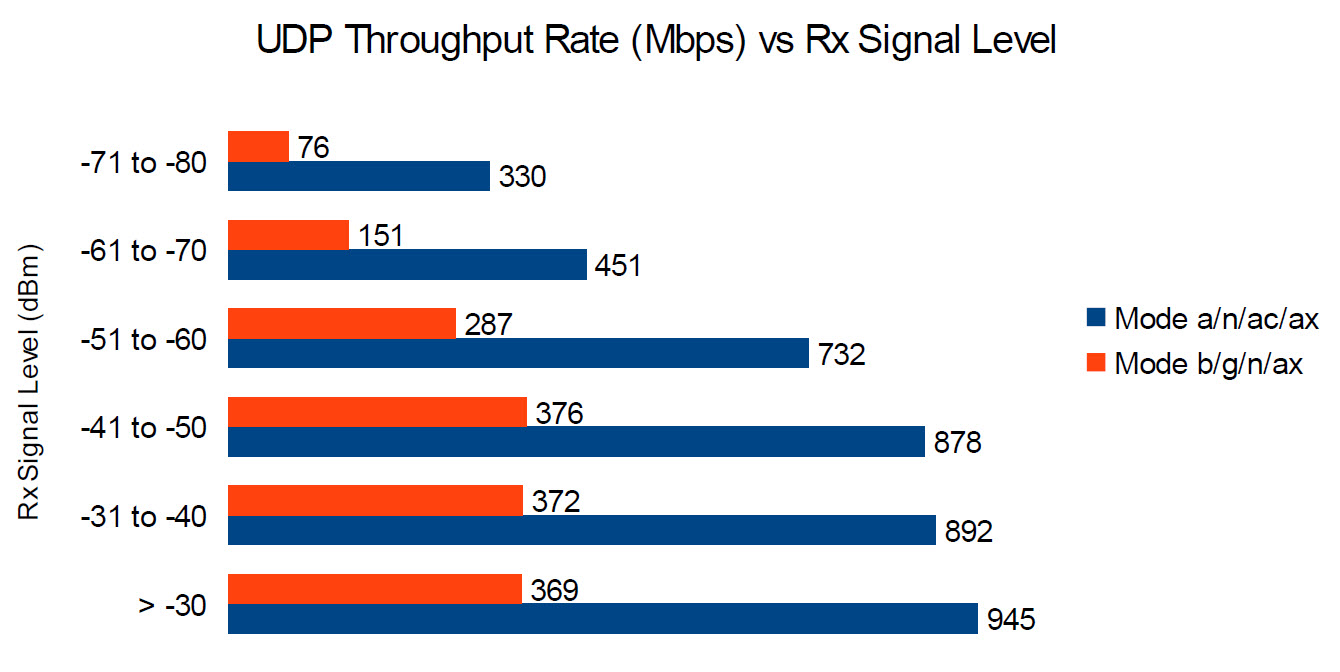
2. ผล Speed Test UDP Throughput Rate ของ Wi-Fi 2.4GHz และ 5GHz ตามระยะทางใกล้สุดไปจนถึงไกลสุด |
|
|
|
|
{tab title="Specifications"}
| HARDWARE FEATURES |
|
|---|---|
| Processor | Mediatek @880MHz (2 Core) |
| Ram/Rom | 256MB/16MB |
| Interface | 4 x 10/1000Mbps LAN Ports, 1 x 10/1000Mbps WAN Port |
| Button | Reset Button, Power On/Off Button, WPS/Wi-Fi On/Off Button |
| Antenna | 4× Fixed High-Performance Antennas |
| External Power Supply | 12V/1A |
| Dimensions ( W x D x H ) | 10.2 × 5.3 × 1.6 in (260.2 × 135 × 41.6 mm) |
| WIRELESS FEATURES |
|
|---|---|
| Wireless Standards | IEEE 802.11a/n/ac/ax 5GHz IEEE 802.11b/g/n/ax 2.4GHz |
| Frequency | 2.4GHz and 5GHz |
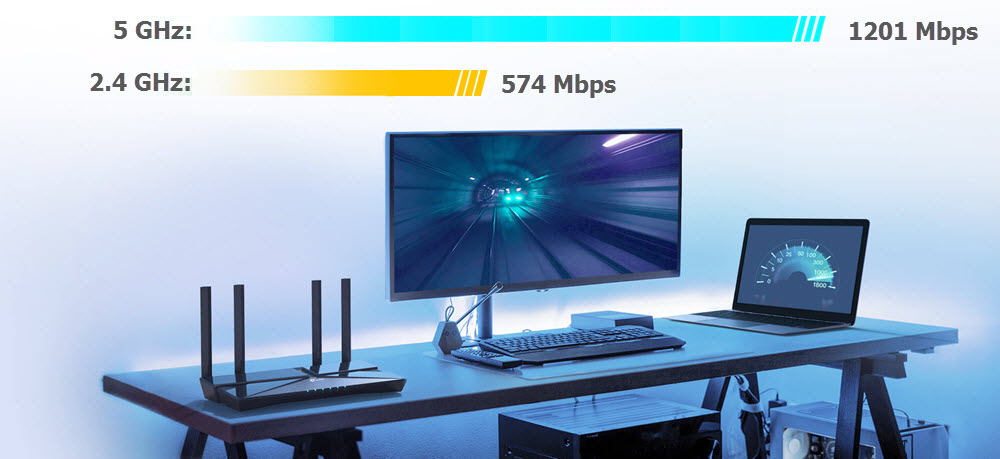
| Signal Rate | 5GHz: Up to 1201Mbps (802.11ax) 2.4GHz: Up to 574Mbps (802.11ax) |
| Wireless Security | WPA-PSK / WPA2-PSK / WPA3-PSK/ WPA/WPA2-Enterprise (802.1x) |
| Wireless Functions | Enable/Disable Wireless Radio, DL/UL OFDMA, Airtime Fairness, Wireless Schedule, TX Beamforming, WMM, Band Steering, MU-MIMO |
| Guest Network | 3× 5 GHz Guest Network 3× 2.4 GHz Guest Network |
| Wireless Mode | AP, EasyMesh R2 |
| EasyMesh Features | Seamless Roaming, Self-healing, Support 802.11k/v/r |
| SOFTWARE FEATURES |
|
|---|---|
| WAN Type | Dynamic IP, Static IP, PPPoE, PPTP, L2TP (Multi-EWAN) |
| DHCP | Server, DHCP Client List, Address Reservation |
| Port Forwarding | Port Forwarding, Port Triggering, UPnP, DMZ |
| Dynamic DNS | DynDns, NO-IP |
| Access Control | Parental Controls, Local Management Control, Host List, White List, Black List |
| IPTV | IGMP Proxy, IGMP Snooping, Bridge, Tag VLAN |
| Quality of Service | Hardware QoS, Flow Classification |
| Parental Controls | URL Filtering, Time Controls |
| Network Security | SPI Firewall, Access Control, IP & MAC Address Binding, Application Layer Gateway |
| VPN Server | PPTP, OpenVPN, IPSec |
| Protocols | IPv4, IPv6 |
| Manage Control | Access Control, Local Management, Remote Management |
| Management | Web, TR-069,TR-098,TR181,TR-111,TR143 |
| OTHERS |
|
|---|---|
| Certification | CE, RoHS |
| Environment | Operating Temperature: 0℃~40℃ (32℉ ~104℉) Storage Temperature: -40℃~70℃ (-40℉ ~158℉) Operating Humidity: 10%~90% non-condensing Storage Humidity: 5%~90% non-condensing |
| System Requirements | Microsoft Windows 10/8.1/8/7/Vista/XP/2000/NT/98SE, MAC OS, NetWare, UNIX or Linux Internet Explorer 11, Firefox 12.0, Chrome 20.0, Safari 4.0, or other Java-enabled browser Cable or DSL Modem Subscription with an internet service provider (for internet access |
| PACKAGE CONTENTS |
|
|---|---|
| Package Contents | Wireless Router AX1800 Dual-Band Gigabit Wi-Fi 6 EX221-G5 Power Adapter RJ45 Ethernet Cable Quick Installation Guide |
{tab title="Main Features" open="true"}
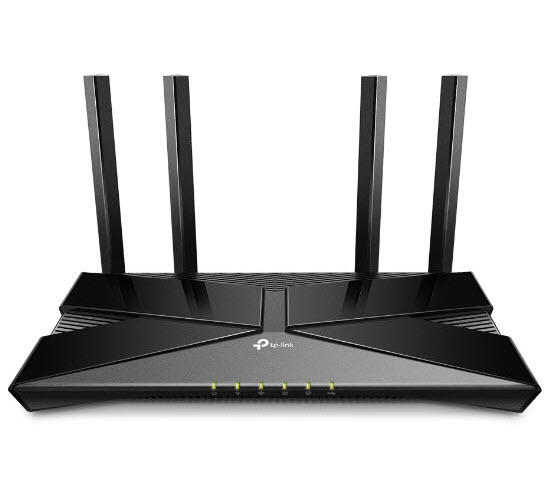 |
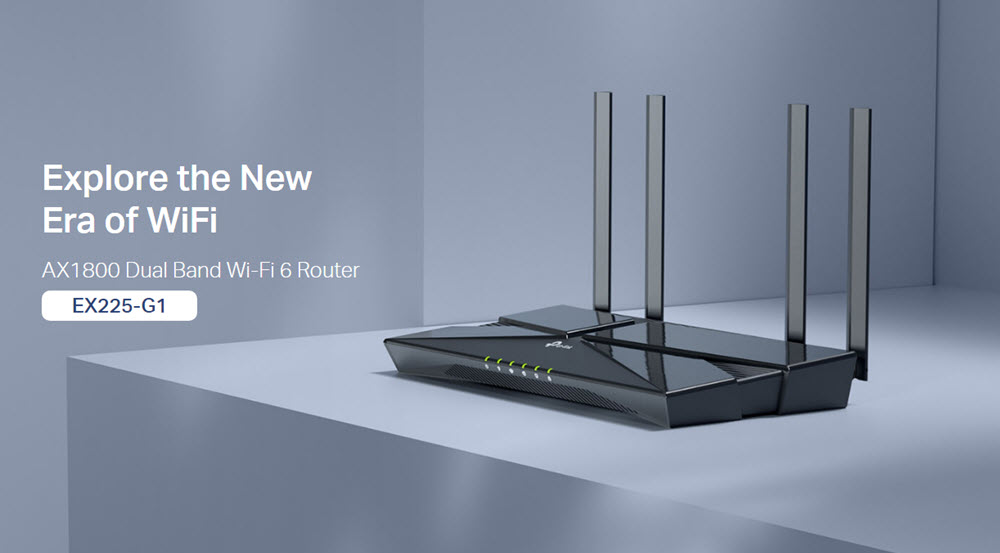
AX1800 Wi-Fi 6 Gigabit Router
|
|
|
|
Faster Speeds. More Connected Devices.
|
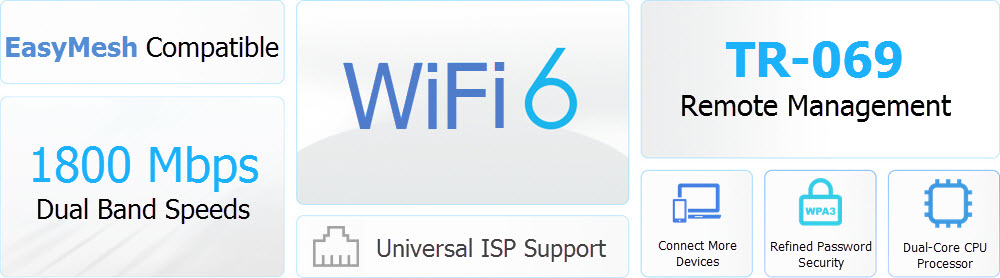 |
Wi-Fi 6 Upgrades Everything.Wi-Fi 6 พร้อมแล้วที่จะมอบความเร็วแบบ Hi-speed, ใช้เทคโนโลยีล่าสุดนี้เพื่อลดหรือแก้ไขสัญญาณที่ช้า หรือรบกวน และพร้อมสนุกไปกับเทคโนโลยีแห่งอนาคตกับความเร็วอินเตอร์เน็ตที่เหนือกว่า. |
|||
|
|
|||
 Larger Capacity Larger Capacity |
 Lower Latency Lower Latency |
 1024-QAM 1024-QAM |
 Target Wake Time Target Wake Time |
|
|
WPA3—New Level of Cyber Securityมอบความปลอดภัยทางไซเบอร์ในเครือข่ายส่วนบุคคล การเข้ารหัสที่ปลอดภัยยิ่งขึ้นในรหัสผ่านและการป้องกันขั้นสูงจากการโจมตีเพื่อเครือข่ายบ้านของคุณ |
||
Connect More, Stay Fast with OFDMAจัดการอุปกรณ์สตรีมมิ่งได้อย่างง่ายดายและการเล่นเกมไปในเวลาเดียวกัน —OFDMA พิสูจน์ความแรงอินเตอร์เน็ตโดยการมอบสัญญาณที่ดีที่สุดและการเชื่อมต่อที่มากขึ้นกว่าเก่าได้เแล้ว
|
|
||
Dual-Band Wi-Fi 6 Up to 1.8 Gbpsถ่ายโอนข้อมูลภาพยนตร์ความละเอียดสูงแบบ Full HD ภายใน 10 วินาที WiFi 6 มาพร้อมกับเทคโนโลยี 1024-QAM ทำให้ได้รับความเร็วที่เต็มประสิทธิภาพเพิ่มขึ้นถึง 25% ในขณะที่เพิ่มประสิทธิภาพอัตราข้อมูล 11% เพลิดเพลินกับแบนด์วิธที่กว้างขึ้นในขณะที่สตรีมบนอุปกรณ์หลายเครื่อง |
|||
 |
|||
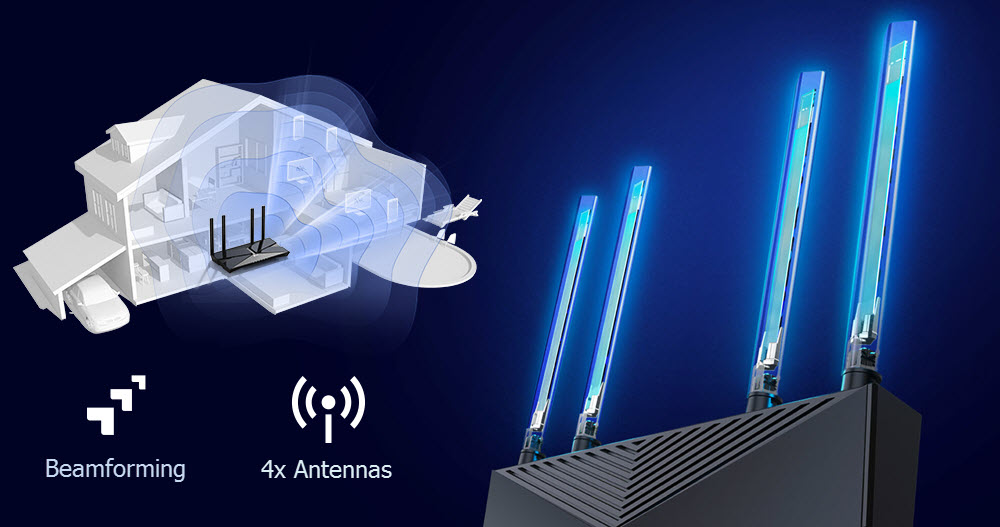
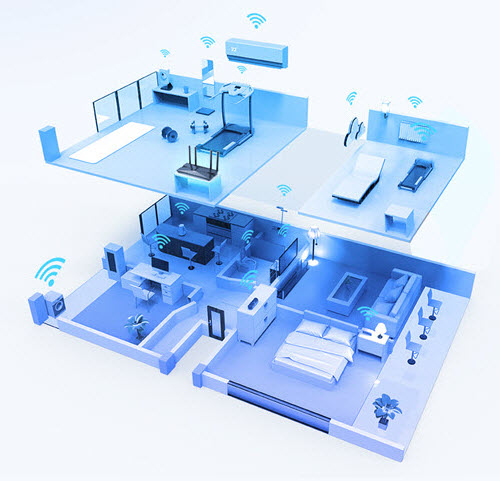
Expanded Coverage Throughout Your Homeเทคโนโลยี Beamforming , independent Front-End Module, และเสาสัญญาณ 4 เสาสัญญาณ พร้อมที่จะรวมกับเพื่อปรับแต่งสัญญาณให้สมบูรณ์ เพิ่มความแรงอินเตอร์เน็ตให้ทุกอุปกรณ์ของคุณ |
|||
 |
|||
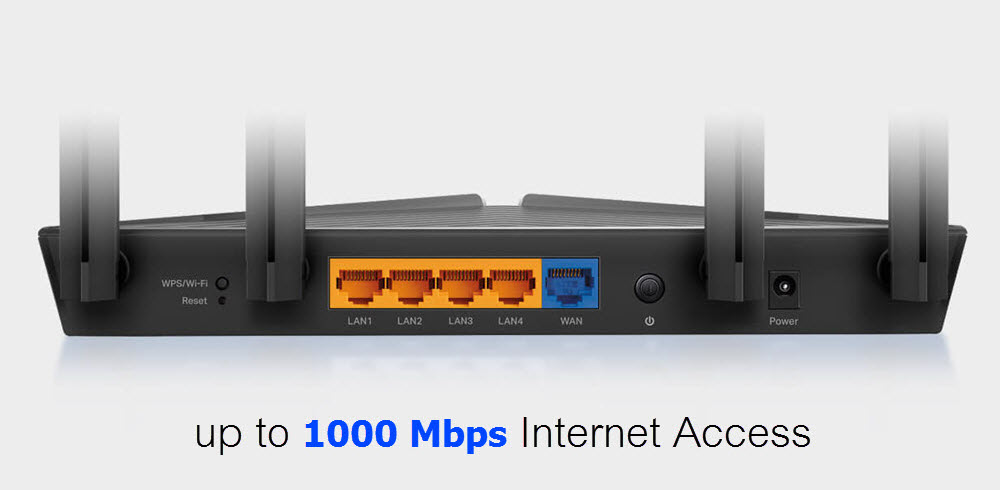
Gigabit Broadband Internet AccessThe Gigabit Ethernet ports allow you to take full advantage of your broadband speed up to 1 Gbps. Plug your PCs, smart TVs, and game consoles into one of the four Gigabit Ethernet LAN ports for fast and reliable wired connections. |
|||
 |
|||
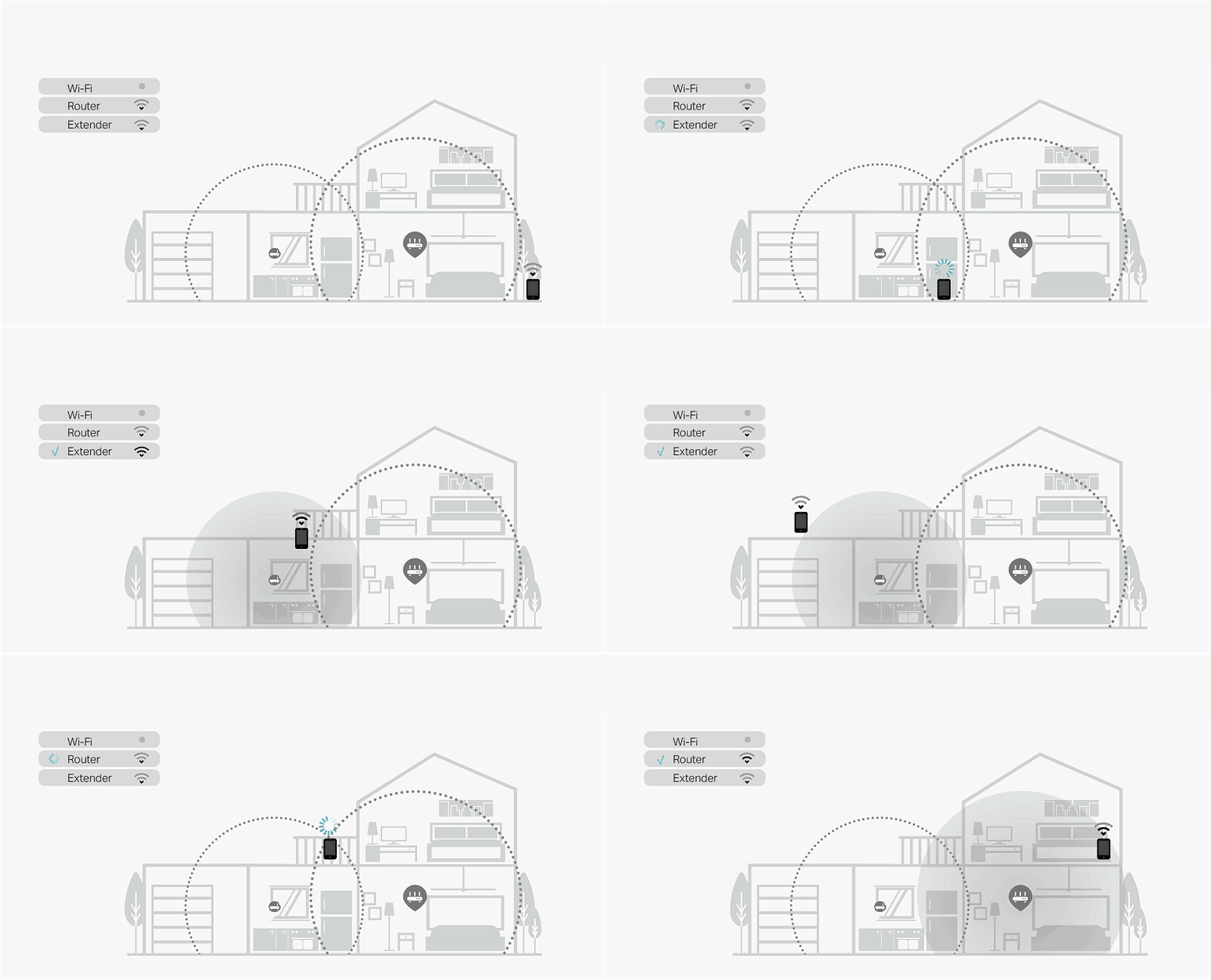
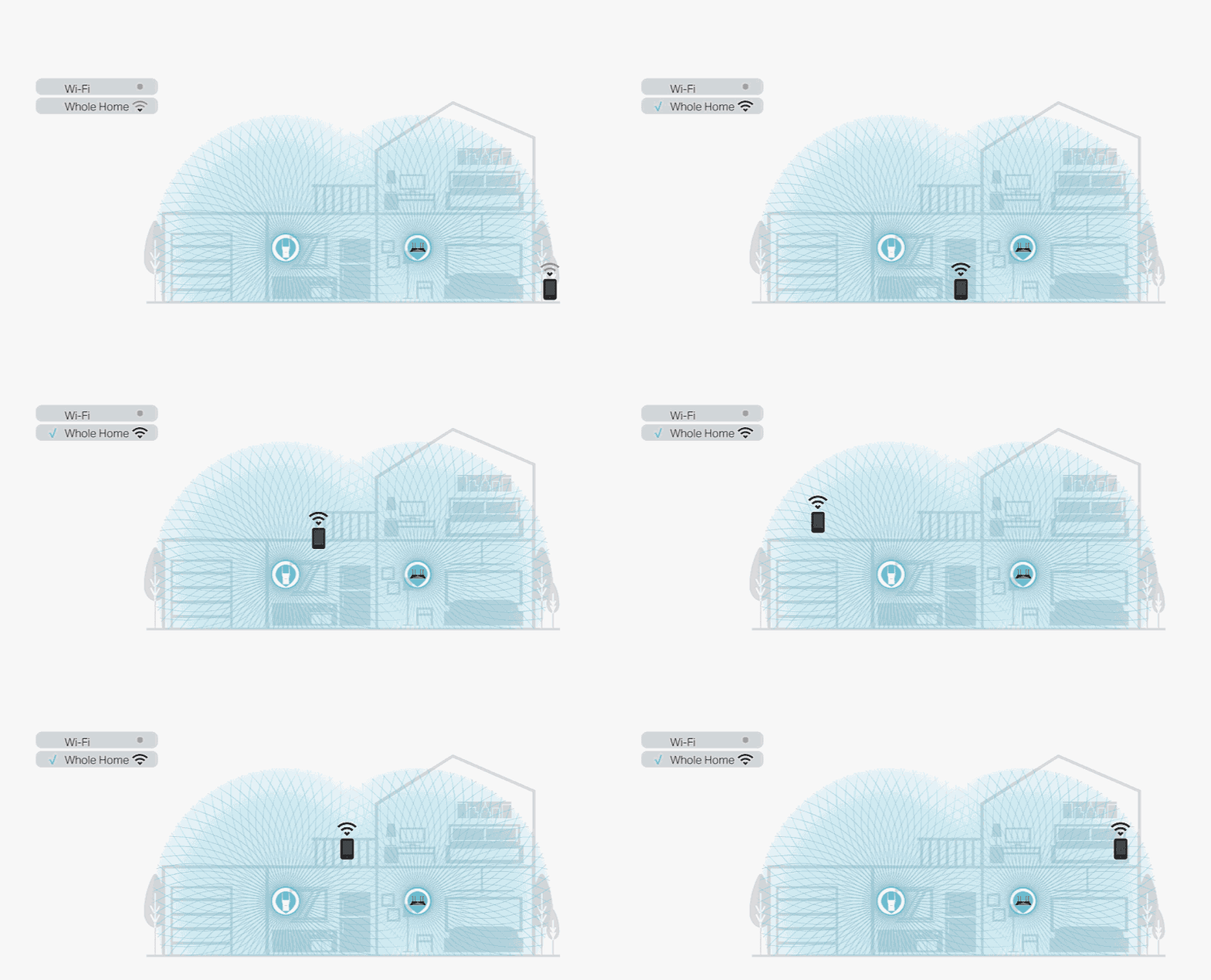
TP-Link EasyMesh™EasyMesh™ is a simple way to form a Mesh network with a single Wi-Fi name for seamless whole-home coverage. Just connect EX221-G5 Satellite to EX221-G5 Main router. No more searching around for a stable connection. |
|||
|
Wi-Fi Dead-Zone Killer |
Smart Roaming |
One Wi-Fi Name |
Unified Management |
|
Eliminate weak signal areas with Wi-Fi coverage for the whole house |
Uninterrupted streaming when moving around your home |
No more switching Wi-Fi network names |
Manage the whole-home Wi-Fi by managing the central node via Tether app/Web UI |
 |
 |
||
| Traditional Router with Extender | EasyMesh™ Router + AP Agent | ||
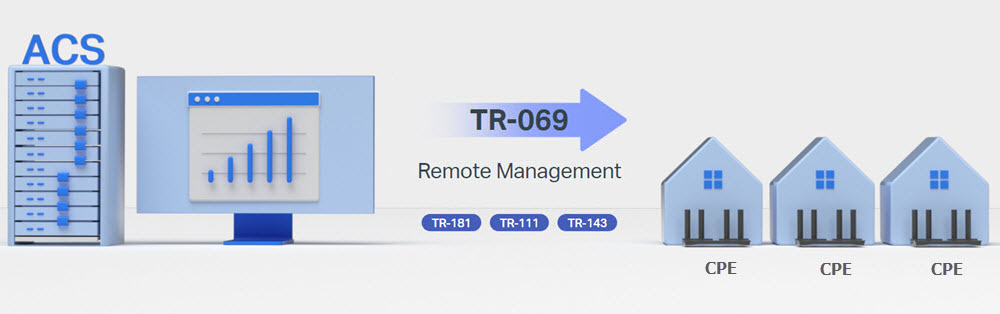
Support TR-069 Remote Managementด้วยระบบ ACS หรือ Auto Configuration Service ทำให้ผู้ให้บริการ Internet สามารถ Remote จัดการ ปรับเปลี่ยนค่า Config รวมถึงบำรุงรักษา และ Monitor อุปกรณ์ CPE ปลายทางทั้งแบบกลุ่ม หรือแบบเดี่ยวได้อย่างสะดวก ผ่านโปรโตคอล TR-181, TR-111 และ TR-143 |
|||
 |
|||



|
|
|
|
|
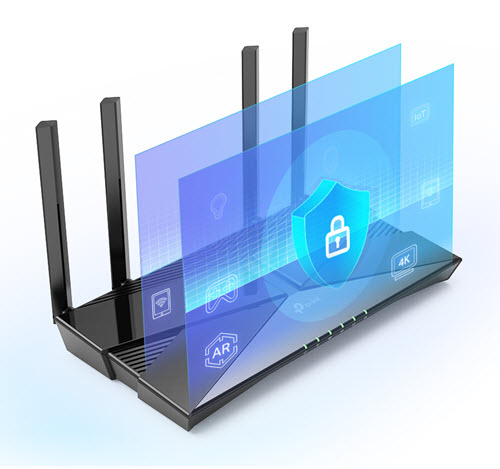
การควบคุมโดยผู้ปกครอง บล็อคเนื้อหาที่ไม่เหมาะสมและจำกัดเวลา
|
VPN Service เข้าถึงไฟล์อย่างปลอดภัยในบ้านของคุณ
|
Quality of Service จัดลำดับความสำคัญของอุปกรณ์และแอปพลิเคชัน
|


{/tabs}