
{tab title="ผล Speed Test "}
| 1. ผล Speed Test Wi-Fi 5GHz ระยะไม่เกิน 5 เมตร | |
|---|---|
|
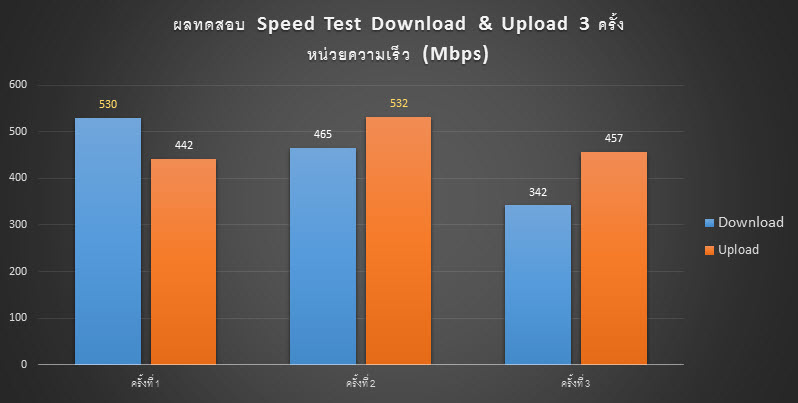
1.1. Huawei Mate 20 ได้ความเร็ว Download สูงสุด 530Mbps และ Upload 532Mbps |
|
|
|
|
|
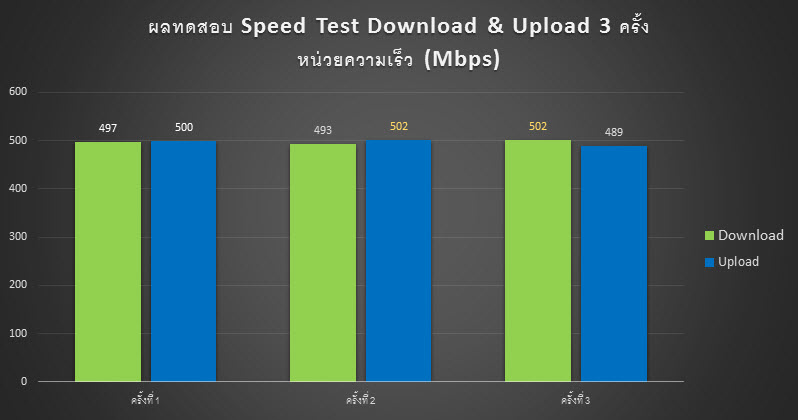
1.2. iPhone 11 ได้ความเร็ว Download สูงสุด 502Mbps และ Upload 502Mbps |
|
|
|
|
| * Huawei Mate 20 และ iPhone 11 เชื่อมต่อ Wireless 5GHz ที่ความเร็ว 867Mbps | |
| 2. ผล Speed Test Wi-Fi 5GHz ระยะเกิน 5 เมตร มีกระจกกั้น | |
|
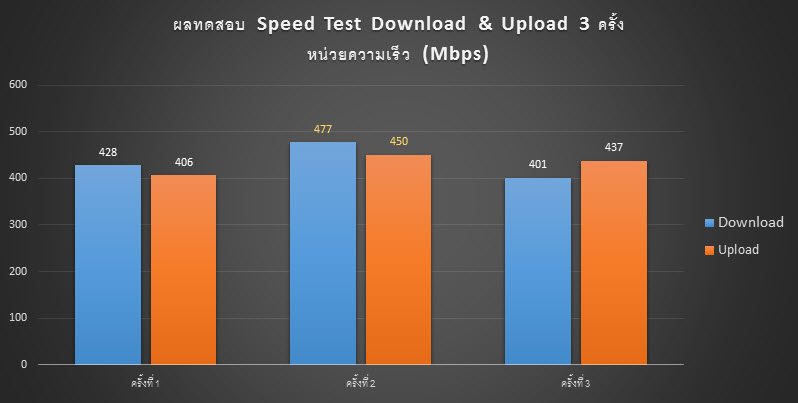
2.1. Huawei Mate 20 ได้ความเร็ว Download สูงสุด 477Mbps และ Upload 450Mbps |
|
|
|
|
{tab title="Specifications"}
| HARDWARE FEATURES |
|
|---|---|
| Processor | Qualcomm Atheros @750MHz (1 Core) |
| Ram/Rom | 128MB/16MB |
| Interface | 2 x 10/1000Mbps LAN/WAN Ports (Supports WAN/LAN auto-sensing) |
| Button | Reset Button |
| Antenna | 2 x Internal Antenna |
| External Power Supply | 12V/1.5A |
| Dimensions ( W x D x H ) | 3.6 × 3.6 × 7.5 in (90.7 × 90.7 × 190 mm) |
| WIRELESS FEATURES |
|
|---|---|
| Wireless Standards | IEEE 802.11ac/n/a 5GHz IEEE 802.11b/g/n 2.4GHz |
| Frequency | 2.4GHz and 5GHz |
| Signal Rate | 5GHz: Up to 867Mbps 2.4GHz: Up to 300Mbps |
| Wireless Security | WPA-PSK/ WPA2-PSK encryption |
| Multi-SSID | 1× 5 GHz Guest Network 1× 2.4 GHz Guest Network |
| Wireless Functions | MU-MIMO, Beamforming, Fast Roaming |
| Transmission Power | CE: <20 dBm (2.4 GHz), <23 dBm (5 GHz) FCC: <30 dBm |
| Wireless Mode | AP, TP-Link Mesh |
| SOFTWARE FEATURES |
|
|---|---|
| WAN Type | Dynamic IP, Static IP, PPPoE, PPTP, L2TP |
| DHCP | Server, DHCP Client List, Address Reservation |
| NAT Forwarding | Port Forwarding, UPnP |
| Dynamic DNS | TP-Link |
| Parental Controls | URL Filtering, Time Controls |
| Quality of Service | QoS by Device |
| IPTV | IGMP Proxy, IGMP Snooping, Bridge, Tag VLAN |
| Cloud Service | OTA Firmware Upgrade, TP-Link ID, DDNS |
| Protocols | IPv4, IPv6 |
| Management | Deco App, TR-069 |
| OTHERS |
|
|---|---|
| Certification | CE, FCC, IC, NCC, BSMI, IDA, RCM, JPA, JRF, VCCI, KC, RoHS |
| Environment | Operating Temperature: 0℃~40℃ (32℉ ~104℉), Operating Humidity: 10%~90% non-condensing Storage Temperature: -40℃~70℃ (-40℉ ~158℉), Storage Humidity: 5%~90% non-condensing |
| System Requirements | Android 4.4 or later, iOS 9.0 or later |
| PACKAGE CONTENTS |
|
|---|---|
| Package Contents | Deco M4R Unit RJ45 Ethernet Cable Power Adapter Quick Installation Guide |
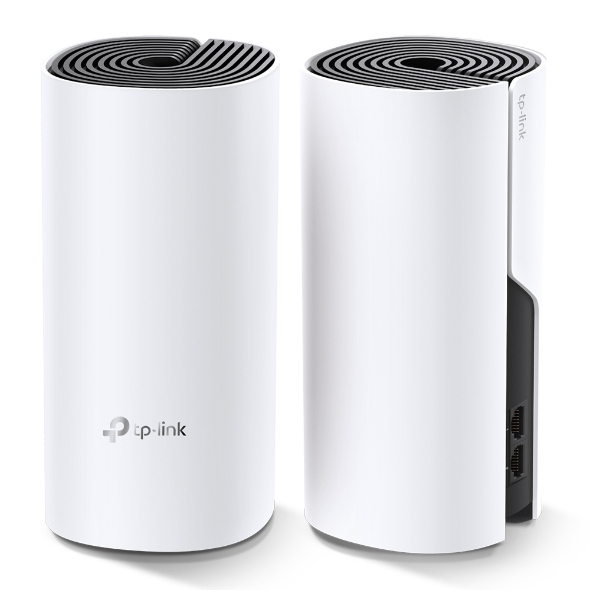 |
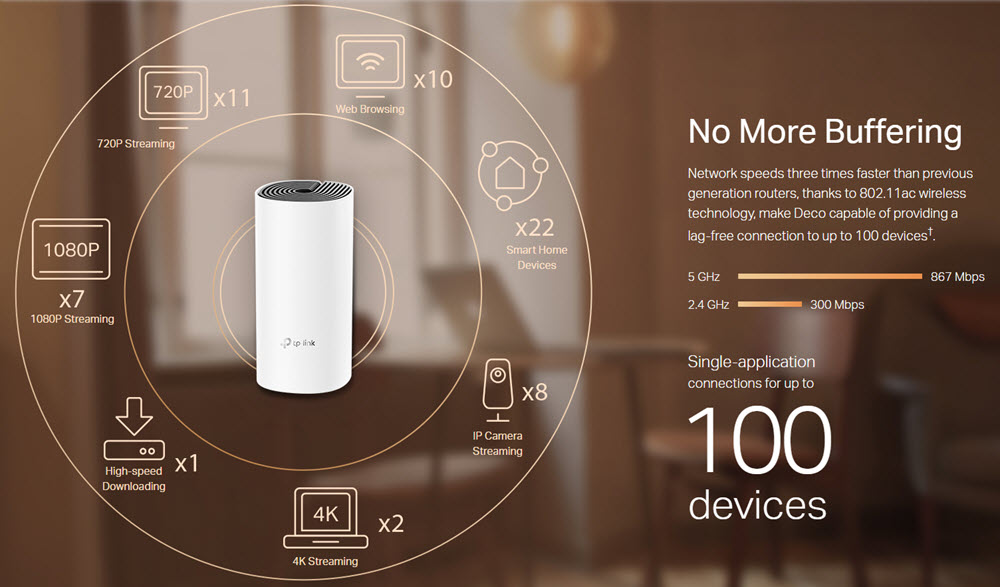
AC1200 Whole Home Mesh Wi-Fi System
|
||||
 |
|||||
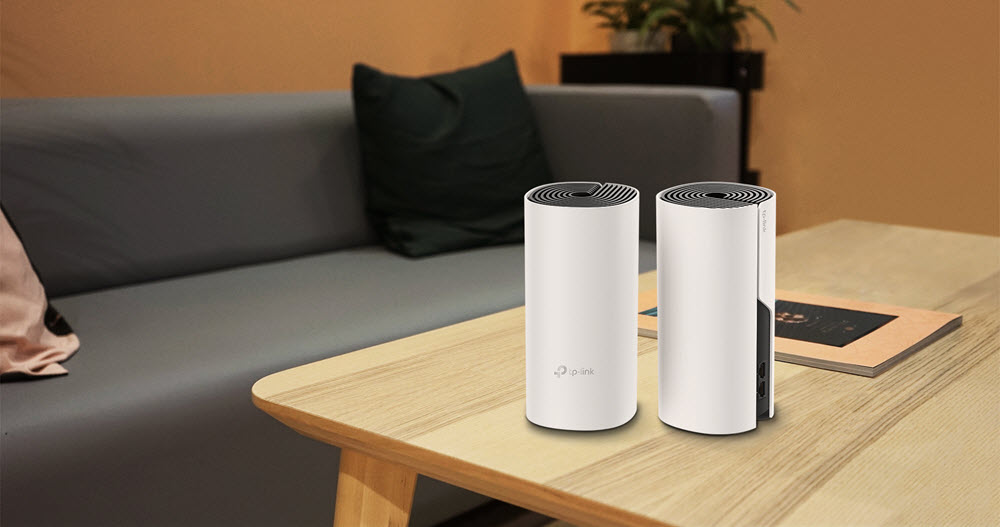
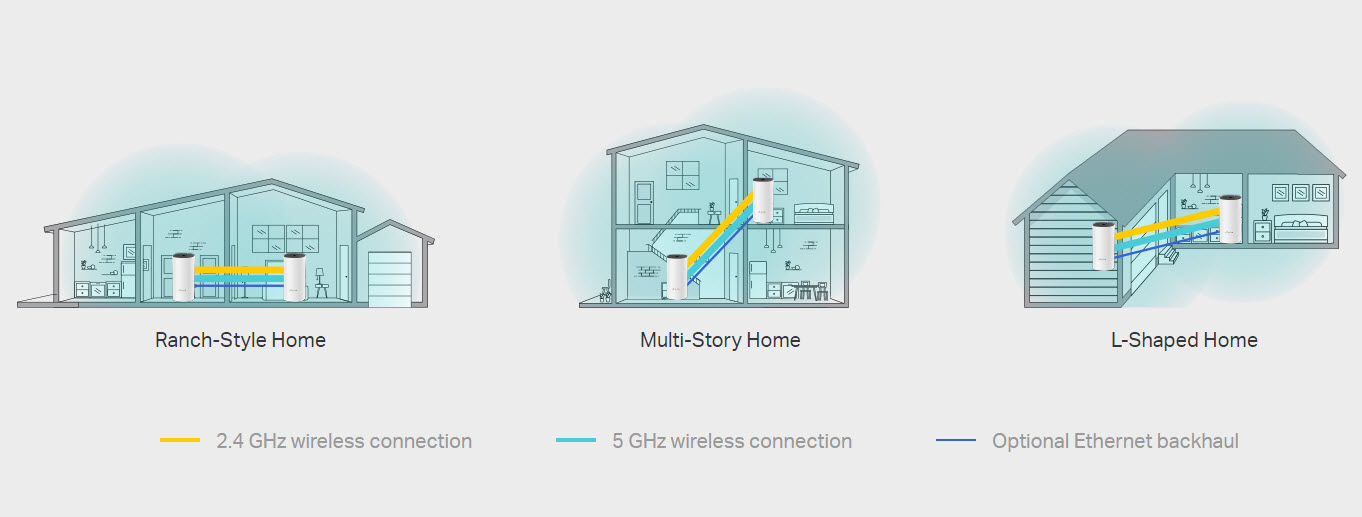
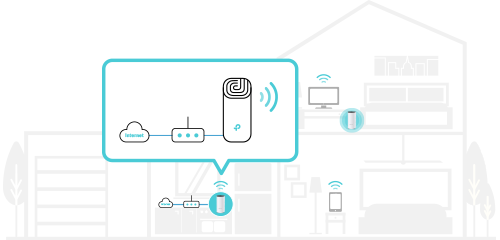
Wi-Fi Dead-Zone KillerDeco M4 is the simplest way to guarantee a strong Wi-Fi signal in every corner of your home up to 2,800 square feet (2-pack, EU version).
|
|||||
Seamless Roaming with One Wi-Fi NameTP-Link Mesh means Deco units work together to form one unified network. Your phone or tablet automatically connects to the fastest Deco as you move through your home, creating a truly seamless Wi-Fi experience. |
|||||
|
|||||
 |
|||||
2-in-1 Router and Access Point ModesFlexible and multifunctional, the Deco M4 includes a variety of features allowing it to serve as a router or access point. Just choose the mode for your actual network demands and experience the maximum wireless flexibility. |
|||||
|
|
|
||||
|
Router (Default) |
Access Point |
||||
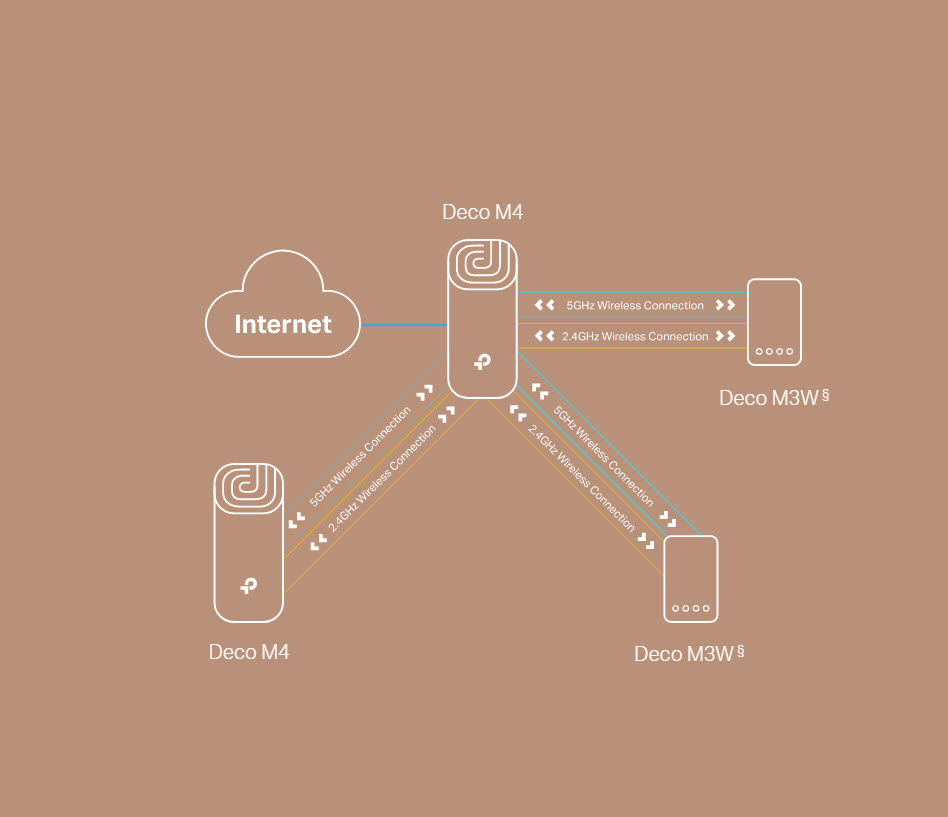
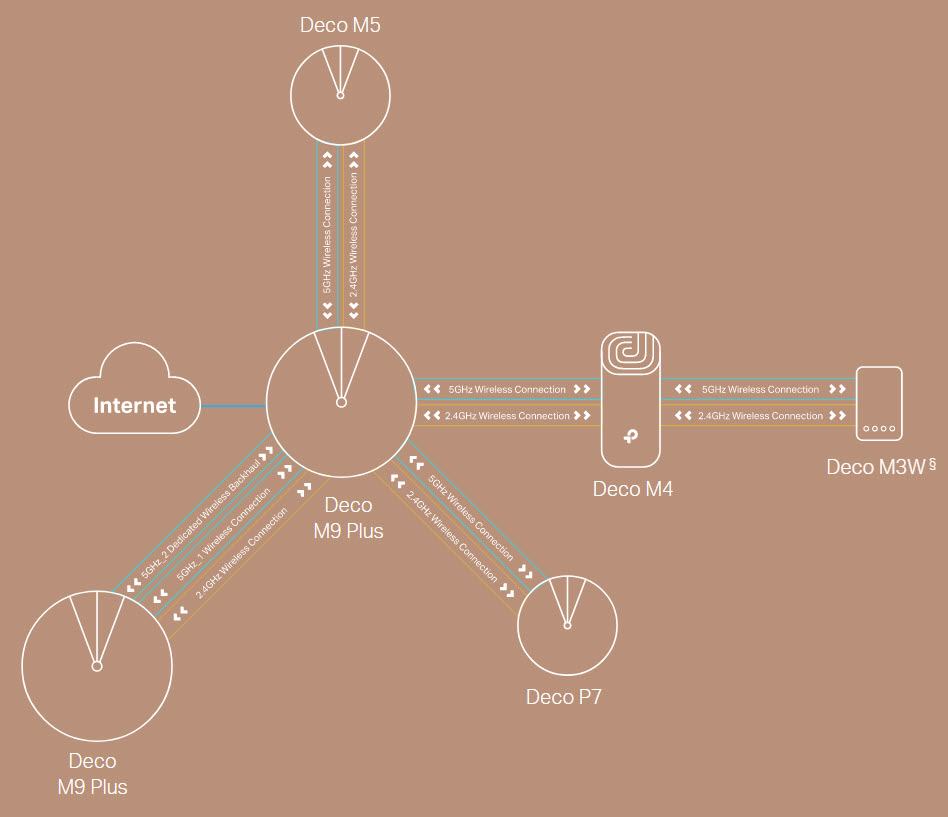
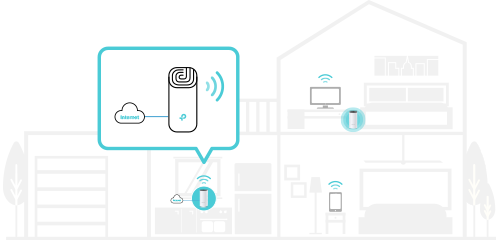
All Decos Work TogetherDeco M4 is compatible with every other Deco model to form a Mesh network. Expand Mesh Wi-Fi coverage anytime by simply adding more Decos. |
|||||
  |
|||||
| Deco M4 as the Main Router | Deco M4 as the Satelite | ||||
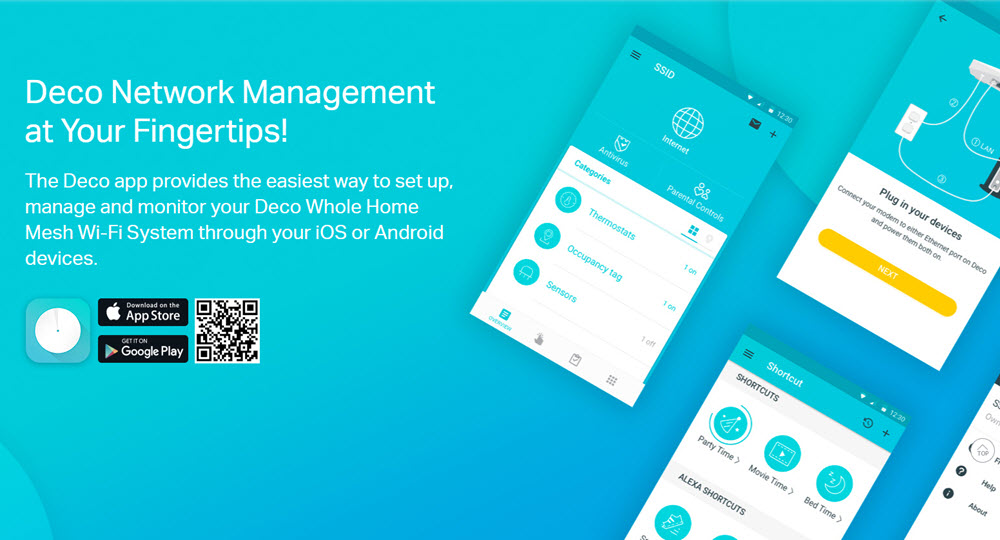 |
|||||
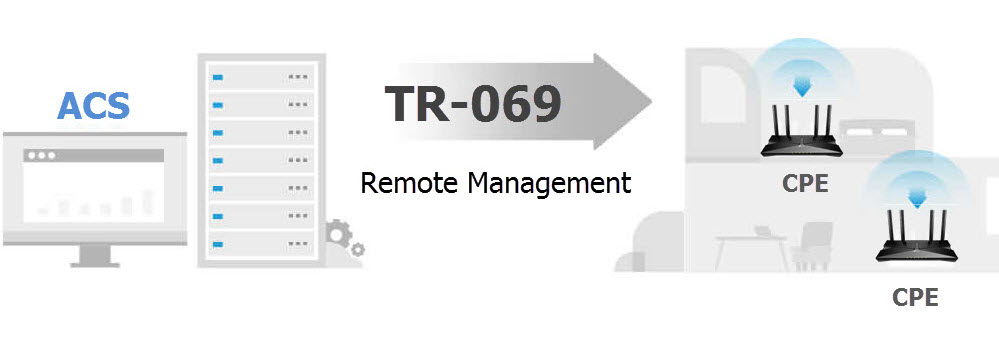
Support TR-069 Remote Managementด้วยระบบ ACS หรือ Auto Configuration Service ทำให้ผู้ให้บริการ Internet สามารถ Remote จัดการ ปรับเปลี่ยนค่า Config รวมถึงบำรุงรักษา และ Monitor อุปกรณ์ CPE ปลายทางทั้งแบบกลุ่ม หรือแบบเดี่ยวได้อย่างสะดวก |
|||||
 |
|||||
Robust Parental ControlsSimple, intuitive parental controls make it easy to keep your children safe while they’re online. |
|||||
|
|
|||||
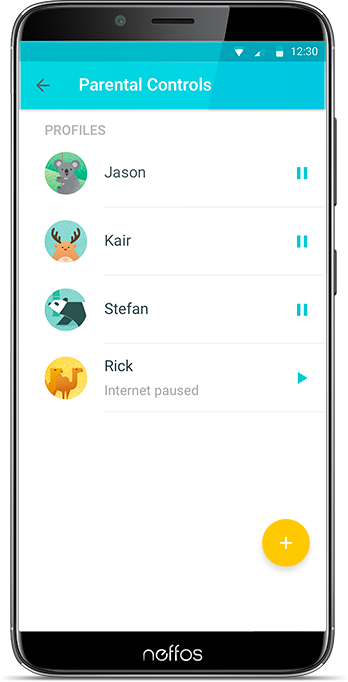
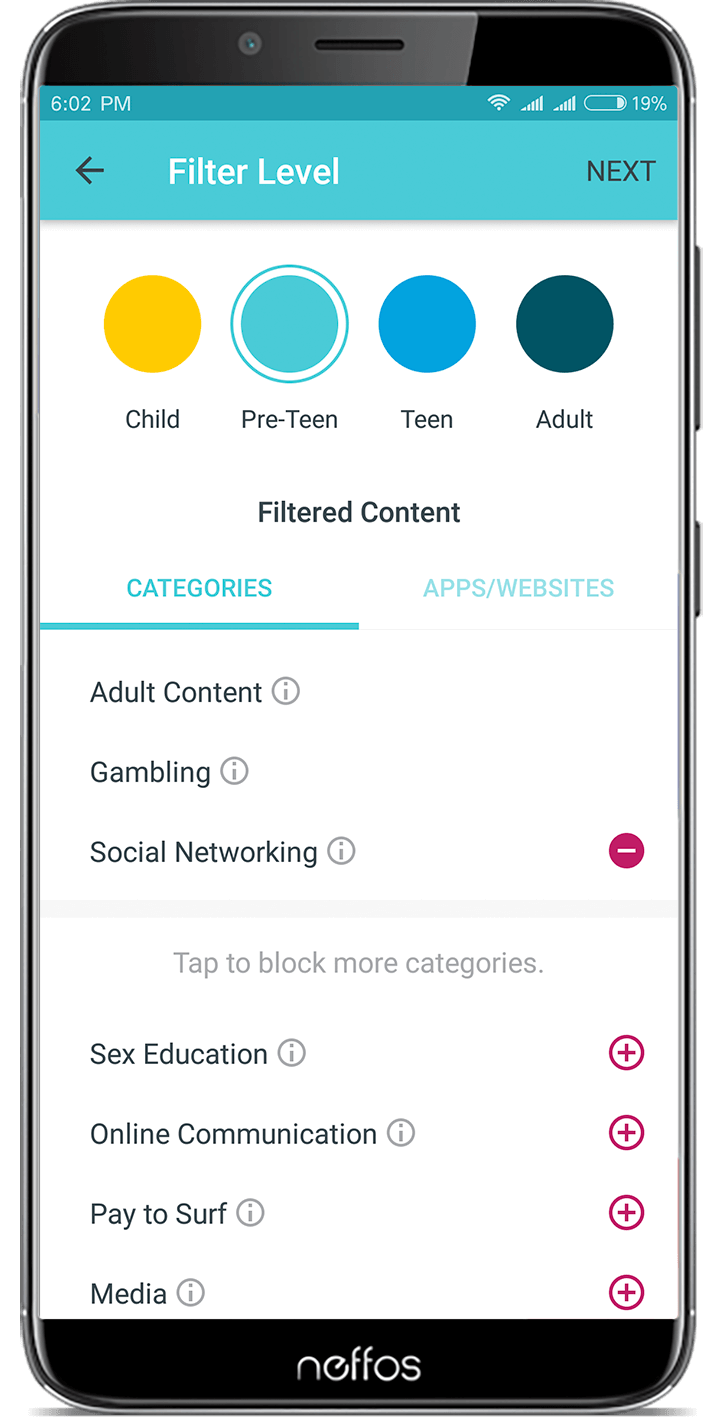
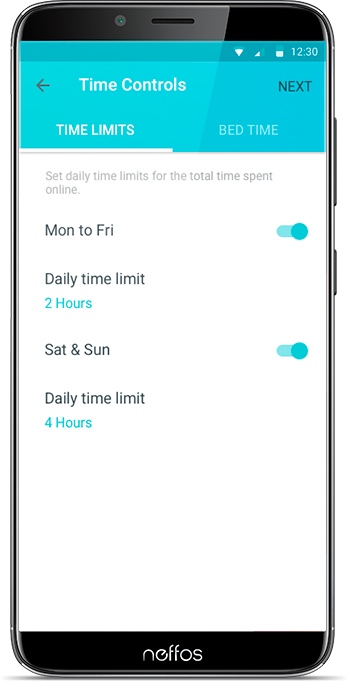
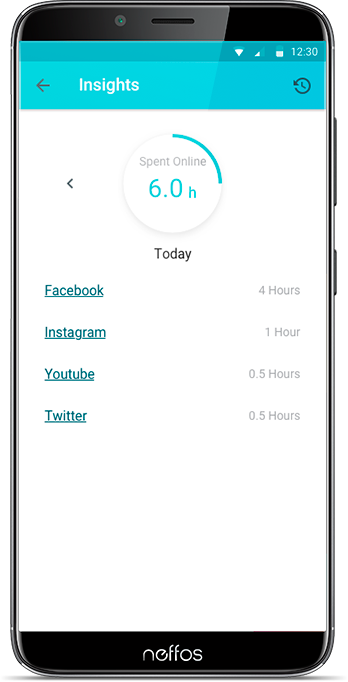
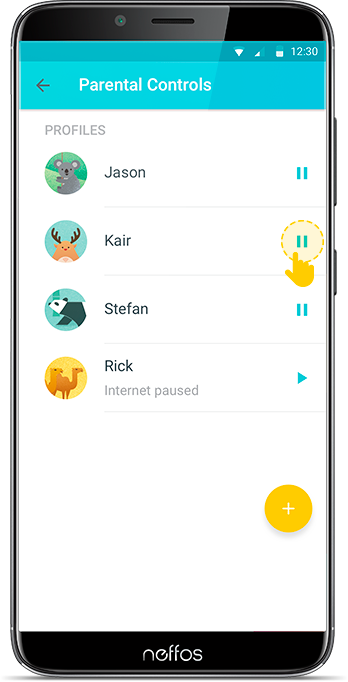
| User Profiles | Filter Levels | Time Limits | Insights | Suspend Connectivity |
|
|
{/tabs}